
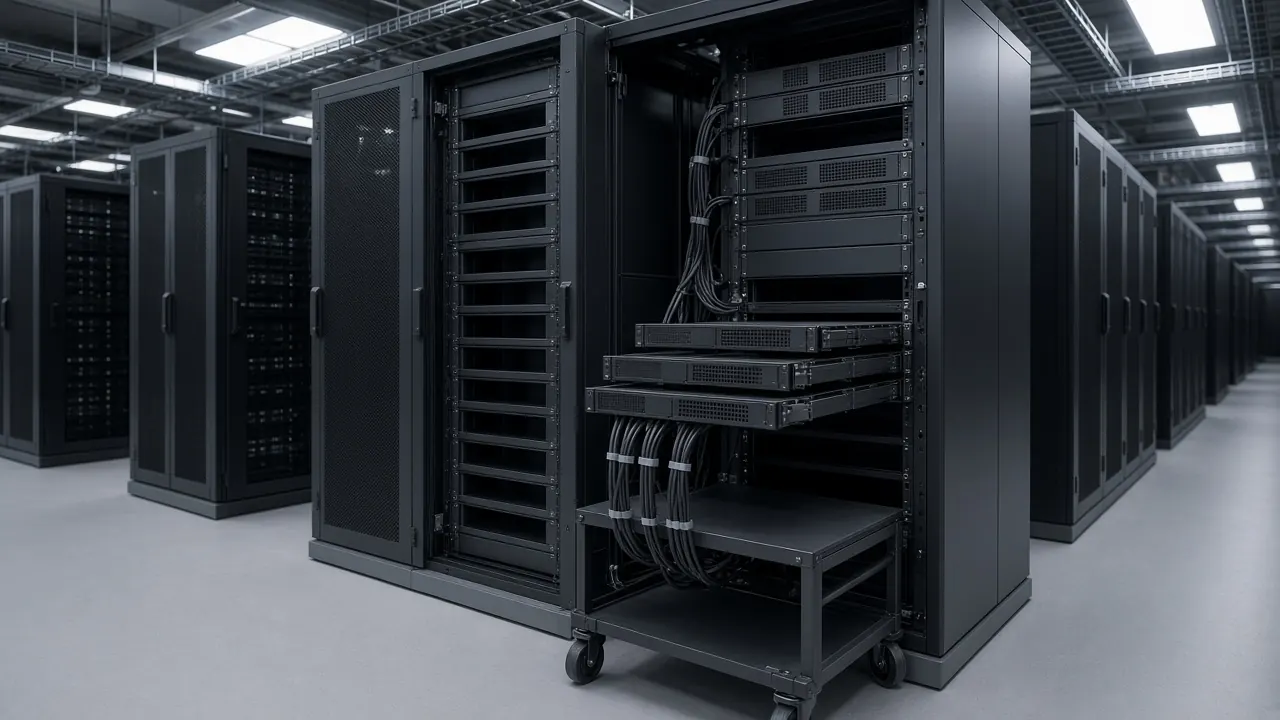
End-of-life equipment is predictable. A lease has an end date, a server has an end-of-support date, and both are known well in advance. Yet many companies still decide what to do with these assets in the last few days, when choices are fewest. Planning a few months ahead gives you time to check ownership, decommission properly and get a fair quote.
Part 1: Lease-return laptops
First question: who owns them?
Under most leases, the leasing company owns the laptops until the agreement says otherwise. Only the owner can sell equipment. Before you plan any sale, read the end-of-term section of your agreement. The usual options are:
| Lease-end option | Who owns the laptops after | Can your company sell them? |
|---|---|---|
| Return to the leasing company | Leasing company | No |
| Extend the lease | Leasing company | No, not until the extension ends |
| Buy out at the end of term | Your company | Yes, once the buyout is complete |
If you are comparing returning against buying out and then selling, compare the buyout cost with a written quote for the same laptops. Ask your finance team to look at both, including the effort of returning units in the condition the lease requires.
If you return them
The lease will set out the return condition, the accessories that must come back and the place of return. Your data steps still apply: the data is yours even when the laptop is not. Finish them under your own policy before the laptops leave.
If you buy them out and sell
Once the buyout is complete and the laptops are on your books, they are sold like any other company laptops. Keep the buyout document with the sale records so ownership is clear. Then follow the same steps as a refresh lot, covered in our guide on old company laptops after a refresh.
Part 2: End-of-life servers
Servers need more preparation than laptops because they sit inside systems that other things depend on. A clean decommission avoids two problems: an outage because something was still running, and a sale that stalls because nobody knows the configuration.
Decommissioning checklist
- Confirm every workload has been migrated and the server has been idle for an agreed period
- Remove it from monitoring, backup jobs, DNS and load balancers
- Record the configuration: model, processors, memory, drives, RAID controller and network cards
- Handle the drives under your own data policy, by wiping or removal
- Reset out-of-band management, such as iLO or iDRAC, and clear its passwords
- Check your licence terms for the operating system, hypervisor and any software tied to the hardware
- Update the asset register and rack diagram
Storage arrays, switches and firewalls in the same rack need the same treatment. Network gear holds configuration and passwords, so reset it if your policy requires. Our guide to data steps before a sale covers devices beyond laptops.
Racks, rails and parts
When a server room or a whole rack is cleared, list everything separately rather than as "rack contents". Typical lines are servers by model, storage, switches, rails, power distribution units, spare drives and drive caddies, and spare power supplies. A clear list gets a clearer quote.
How to list the lot for a quote
End-of-life lots are often mixed: laptops, desktops, servers and network gear from several projects. A list format that works:
| Category | What to include on each line |
|---|---|
| Laptops and desktops | Brand and model, processor and generation, RAM, storage or "drive removed", quantity, condition, chargers |
| Servers | Brand and model, form factor, processors, memory, drive bays and drives present, RAID controller, power supplies, quantity, condition |
| Storage | Model, number of drives present, controllers, quantity, condition |
| Networking | Brand and model, port count, quantity, condition |
| Other | Monitors, printers and other office IT, with model and quantity |
Add the site address, the floor or server-room location and any access notes. 2ndRaja replies with a written quote within 24 hours of receiving the list, and non-working items are quoted in the same lot. Our page on what we buy lists the categories.
Common end-of-life mistakes
- Selling equipment you do not own. Leased laptops belong to the leasing company until a buyout is complete.
- Pulling servers before the migration is signed off. Keep them idle for an agreed period before decommissioning.
- Losing the configuration. Once a server is unracked, nobody remembers how much memory or which drives it had. Record it first.
- Splitting parts from chassis without noting it. If memory or drives are removed for spares, update the list so the quote matches what is collected.
- Leaving management passwords set. A server whose management controller is still locked is harder to reuse.
- Treating all non-working kit as scrap. Ask for a quote first; our guide on e-waste versus resale explains how to decide.
Timing your sale
For leased laptops, start comparing options a few months before the lease end date, so a buyout decision is not rushed. For servers, plan the sale as part of the migration project, not after it. Equipment that has been switched off and left in a corner for a year is harder to describe accurately and usually worth less.
Who sells to 2ndRaja: IT companies, hotels, larger offices, and e-waste and ITAD firms with mixed stock. IT companies clearing server rooms can read about IT asset buyback for IT companies, and the buyback process page explains what happens after you send your list.
What 2ndRaja does and does not do
We buy used laptops, desktops, servers, monitors, networking gear, printers and other office IT from businesses, including non-working and end-of-life items. We collect from your site on an agreed date, and payment is arranged as agreed when you accept the quote. We do not wipe data on your behalf, we do not issue data-destruction or recycling certificates, and we are not an authorised recycler. If your policy needs those, plan them as a separate step.
Key points
- Leased laptops can only be sold by their owner. Buy them out first if you want to sell them.
- Compare the buyout cost with a written quote before the lease end date, not after it.
- Decommission servers properly: migrate, idle, record the configuration, handle drives, reset management controllers.
- List racks, servers, storage and networking on separate lines with configurations.
- Non-working servers and laptops are still worth quoting.
Related guides
Frequently asked questions
Can we sell laptops that are still on lease?
Only the owner can sell equipment. While laptops are on lease, they usually belong to the leasing company. Check your agreement; if you buy them out at lease end, they become yours to sell.
Do you buy servers that no longer power on?
Yes. 2ndRaja buys non-working and end-of-life IT, including servers, as part of the same lot. Mark the condition on each line.
Should we leave the drives in the servers?
That is your decision under your own data policy. Many companies remove or wipe the drives first. Say in the list which servers have drives and which do not.
Do you buy server racks, rails and networking gear with the servers?
We buy servers, networking gear and other office IT. List racks, rails, switches and other items on separate lines so they can be quoted clearly.
Do you take equipment directly from a leasing company?
2ndRaja buys from businesses, including e-waste and ITAD firms. If a leasing company owns the equipment, it is the party that can sell it.