
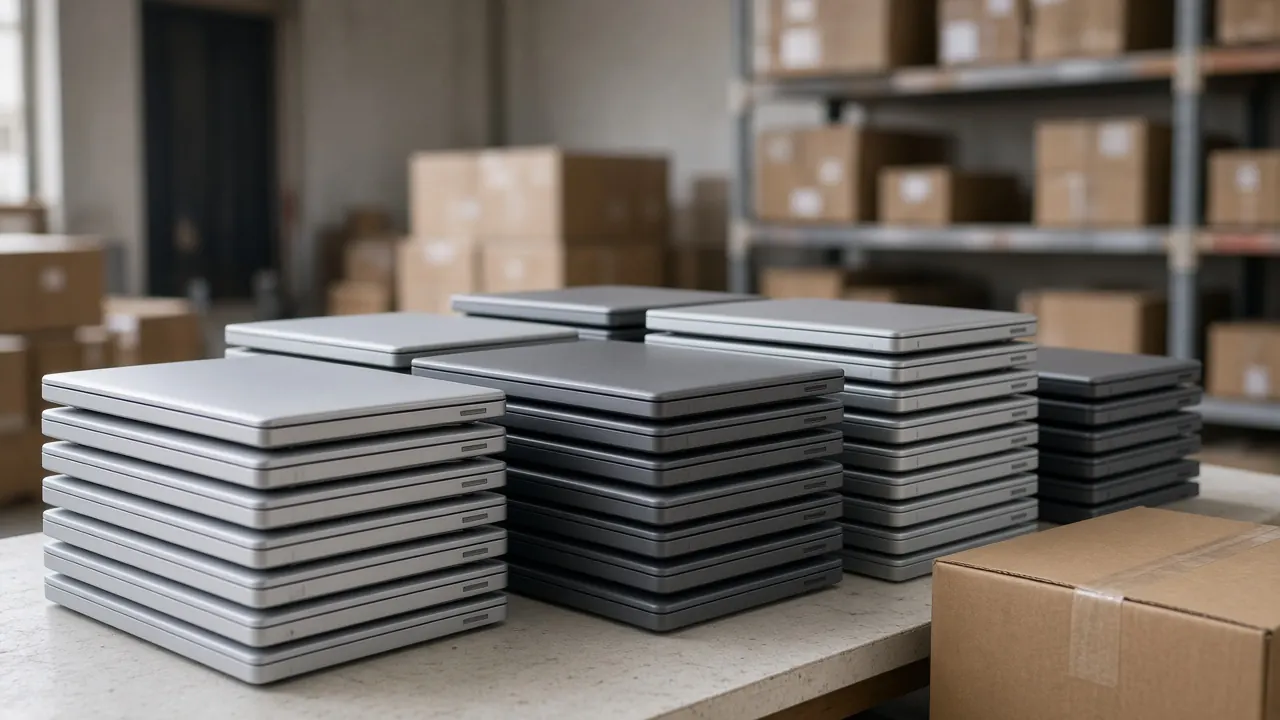
Many companies hold on to old laptops simply because nobody owns the job. IT has replaced the machines, finance still shows them on the asset register, admin wants the storeroom back, and security wants to know what happened to the data. Meanwhile the laptops keep ageing. This guide breaks the sale into clear steps so one person can run it end to end.
Step 1: Decide who owns the sale
Pick one owner, usually from IT or admin, and agree who else must sign off. In most offices that means four people or teams:
| Team | What they approve | What they usually need |
|---|---|---|
| IT | Which laptops are truly retired, not spares | Serial numbers, last user, refresh date |
| Information security | Data handling before the laptops leave | Wipe or drive-removal record from your own process |
| Finance | Sale of fixed assets and write-off | Asset tags, book value, buyer's written quote |
| Admin or facilities | Gate pass and pickup slot | Pickup date, vehicle details, item count |
Getting these approvals before you ask for a quote saves time later. A quote that sits for weeks waiting for a signature is a common reason a sale stalls.
Step 2: Count what you actually have
Walk the storeroom, the server room and any cupboards on other floors. Laptops tend to be scattered: some at the help desk, some in a locked cabinet, some with a manager who kept a spare. Match what you find against your asset register and note the gaps.
While you count, group the laptops. Buyers quote faster when identical machines sit on one line with a quantity, rather than a list of hundreds of single rows.
- Group by brand, model and processor generation
- Separate working, partly working and non-working units
- Count chargers and docking stations separately
- Note any laptops with missing parts, such as batteries or keyboard keys
- Keep desktops, monitors and printers on their own lines if they are in the same lot
Step 3: Handle data under your own policy
Data handling is your company's decision, not the buyer's. Many companies wipe the drives with the tool their IT team already uses, and some remove the drives completely and keep or destroy them in-house. Whichever route you choose, finish it before pickup and record what you did.
Before you start, check for things that block a clean handover:
- Laptops still enrolled in your device management system
- Disk encryption that needs a recovery key before the drive can be reset
- BIOS or firmware passwords set by IT
- Company accounts still signed in, including Apple accounts on MacBooks
Our separate guide on data steps before selling company laptops covers this in more detail. One point to be clear on: 2ndRaja does not wipe data on your behalf and does not issue data-destruction certificates. If your policy needs a certificate, plan for it before you sell.
Step 4: Build an asset list a buyer can quote from
The asset list is the single biggest factor in how fast and how accurately you get a quote. A simple spreadsheet is enough. Here is a format that works:
| Type | Brand and model | Processor | RAM / storage | Qty | Condition | Included |
|---|---|---|---|---|---|---|
| Laptop | Example: Dell Latitude series | Intel Core i5, generation noted | 8 GB / 256 GB SSD | Count | Working | Charger |
| Laptop | Example: Lenovo ThinkPad series | Intel Core i5, generation noted | 8 GB / drive removed | Count | Screen damage | No charger |
| Laptop | Mixed models | Not known | Not known | Count | Not working | None |
Add the site address at the top, along with the floor and whether there is a goods lift. The full list of fields we ask for is on our page about selling used laptops in bulk in Hyderabad.
Step 5: Ask for written quotes and compare them fairly
Send the same list to every buyer you approach, so the quotes are comparable. When you compare, look beyond the headline figure:
- Is the quote in writing? A verbal number on a call is hard to take to finance.
- Does it cover the whole lot? Some buyers pick only the best machines and leave you with the rest.
- Who does the packing and loading? If your staff have to pack and deliver, that is a hidden cost.
- How and when is payment arranged? Agree this in writing when you accept the quote.
- What does the buyer say about data? Be wary of vague promises. Your own policy should decide this.
2ndRaja replies with a written quote within 24 hours of receiving your list, and quotes non-working laptops as part of the same lot.
Step 6: Plan the pickup in your building
Pickups in Hyderabad's office buildings go smoothly when building security knows in advance. In larger campuses around Hi-Tech City, Madhapur, Gachibowli, Kondapur and the Financial District, the building management often controls the loading bay and goods lift, separately from your own office. Ask your facilities team to:
- Book the goods lift or loading bay for the agreed slot.
- Issue a returnable or non-returnable gate pass, as your process requires, with the item count.
- Share the vehicle and staff details with building security a day before.
- Keep one person from IT on site to hand over and count.
With 2ndRaja, the pickup is arranged from our office at Winwin Towers in Hi-Tech City. Your team does not need to pack or deliver anything. Offices in the western IT corridor can also read our page on IT asset disposal in Hi-Tech City and Gachibowli.
Step 7: Close the paperwork
After the laptops leave, update the asset register so the units are marked as sold, attach the accepted quote and payment record, and file the handover count signed by both sides. Finance will need these for the write-off. Keep your own data-handling record alongside them.
Common mistake: waiting to sell until a second refresh batch arrives. Two batches of old laptops are harder to store and count than one, and the older batch rarely gains value while it waits.
A quick timeline you can plan around
Every office moves at its own pace, but most of the time goes into internal steps, not the sale itself. A realistic plan is:
- Approvals and counting: depends on how many teams must sign off.
- Data steps: depends on your IT team's capacity and the number of units.
- Quote: within 24 hours of 2ndRaja receiving the list.
- Pickup: on a date agreed with your site after you accept.
- Payment: as agreed when you accepted the quote.
For the full sequence from our side, see how the 2ndRaja buyback works.
Related guides
Frequently asked questions
Can an employee sell their own old laptop to 2ndRaja?
No. 2ndRaja buys only from businesses, such as IT companies, hotels, larger offices and e-waste or ITAD firms. Company-owned laptops should be sold by the company itself.
Do we need to remove the hard drives before selling?
That depends on your own data policy. Many companies wipe the drives or remove them before handover. If you remove them, say so in your asset list so the quote reflects it.
Will you buy laptops that do not switch on?
Yes. Mark them as non-working in your list. Non-working and end-of-life laptops are quoted as part of the same lot as the working ones.
Which parts of Hyderabad do you collect from?
We arrange pickups across the city from our office in Hi-Tech City, including areas such as Madhapur, Gachibowli, Kondapur, the Financial District, Begumpet, Secunderabad and Uppal. Put your site address in the list and we will confirm.
Do you give a data-destruction certificate?
No. 2ndRaja does not issue data-destruction or recycling certificates. If your policy needs one, complete that step through your own process or a provider who issues certificates before you hand the laptops over.